This
post is very useful for those who don’t know how to configure Router.
This trick works on two simple simple tips.
- Taking Backup when the Router is Working well.
- Restoring when Router Configuration Fails.
If you don’t know how to
configure your router, call in the tech-guy and let him configure.
After everything working fine, take
a backup of your configuration settings using simple steps mentioned below.
1. Taking Backup when the Router is Working well:
Open any browser (Chrome if better)
and type your 'Default Router IP Address' (192.168.1.1) and press Enter.

By Default User
Name is ‘admin’ and Password is ‘admin’ and Log In.

After Log In go to Management>> Settings>>Backup

Click on Backup Settings to a Safe Place and save it.
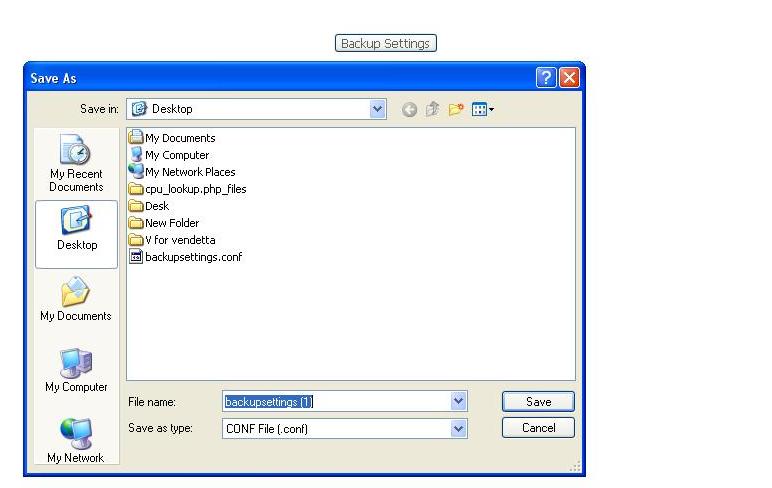
Now taking backup is completed.
Note: Make sure you do all these things only when your
internet is working properly.
2. Restoring when Router Configuration Fails:
You can use your saved 'configuration settings' to
Re-Configure your router, in case router configuration is corrupted.
Open your D-Link Router
as shown in the first two steps.
Now go to Management>>
Settings>>Restore Default and click on Restore Default. Click OK on
the confirmation popup

Now wait for 2 min to take effect back to 'Factory Default
Settings'.
After a couple of minutes close and Re-open the D-Link Router as shown in the
first two steps.
Now Go to Management>>
Settings>>Update. Click on Choose File and select your back
up file (.conf) and click on update settings.

This will take a couple of minutes and you can close
the browser.
you can check your internet connection now...